
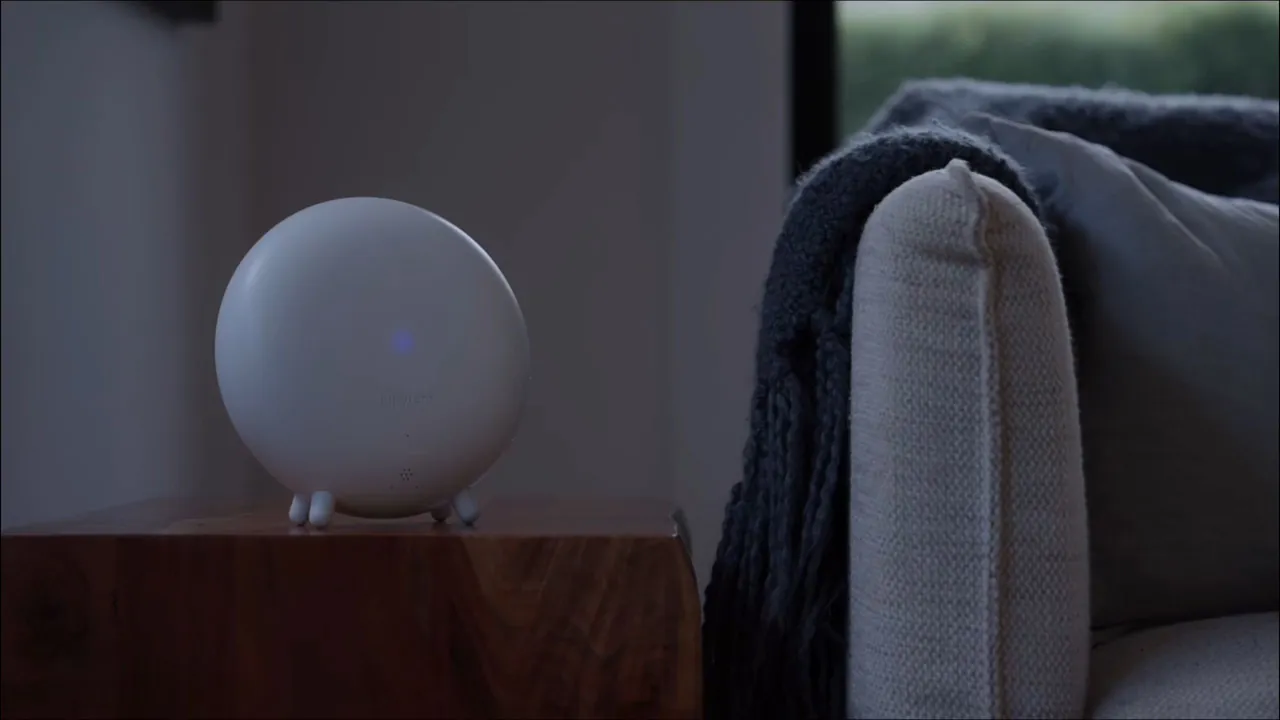

jupyter Hub
It sees and decides.
Six senses on every camera you already own, on the Hub in your home. It knows your family from a stranger, a parcel from a person.
6 trillion AI operations a second · 8 cores · up to 8 cameras
A small hub that plugs into the cameras you already own, gives them six senses, and puts a Halo at the door. Recordings stay in your home. No monthly fee for storage or AI.
Compare us with Ring, Nest, ADT and SimpliSafe
One email when we launch. Prefer Kickstarter? Follow us there →
One billion
security cameras are watching the world right now.
Most of them can only watch.
Yours watch. They record.
Then they send you a clip, after.
By then it is over.
The footage is evidence. It was never protection.
Then the camera company charges you to keep it.
Many camera brands charge a monthly fee to keep your own footage in their data centre. Long after the camera is old.
What if the same camera could sense a threat, and deter it?
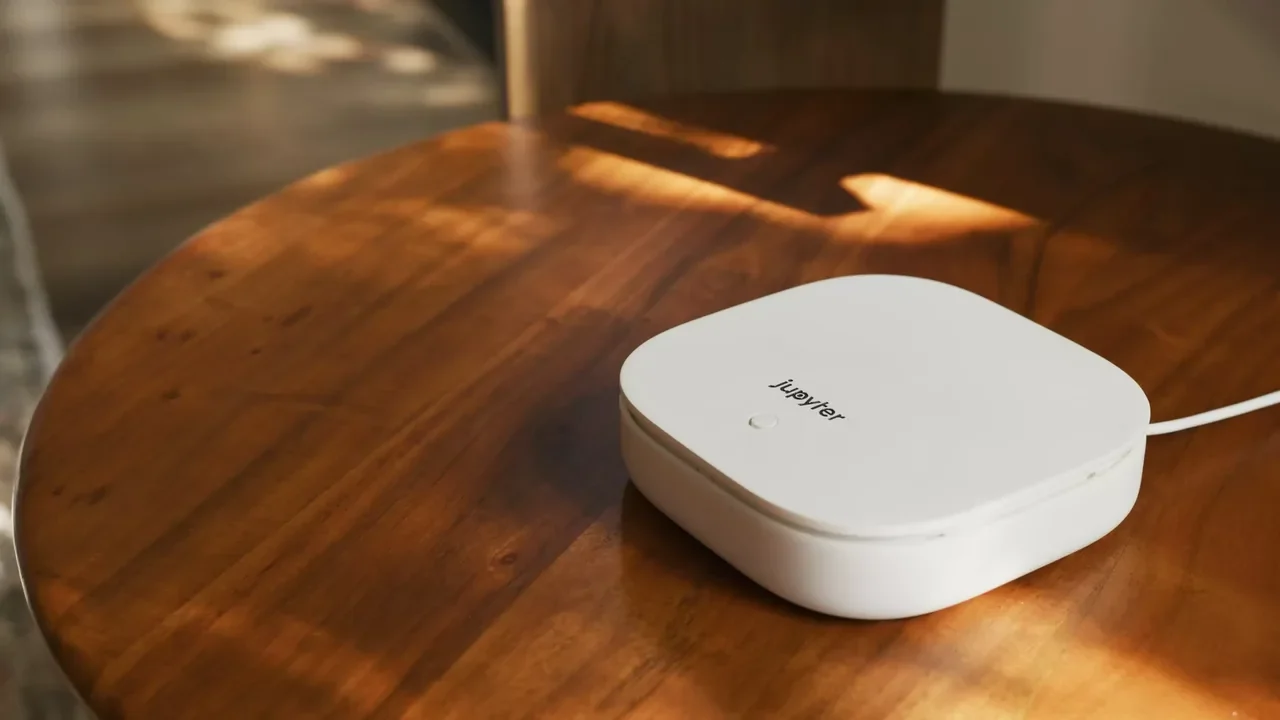
The jupyter Hub
The film
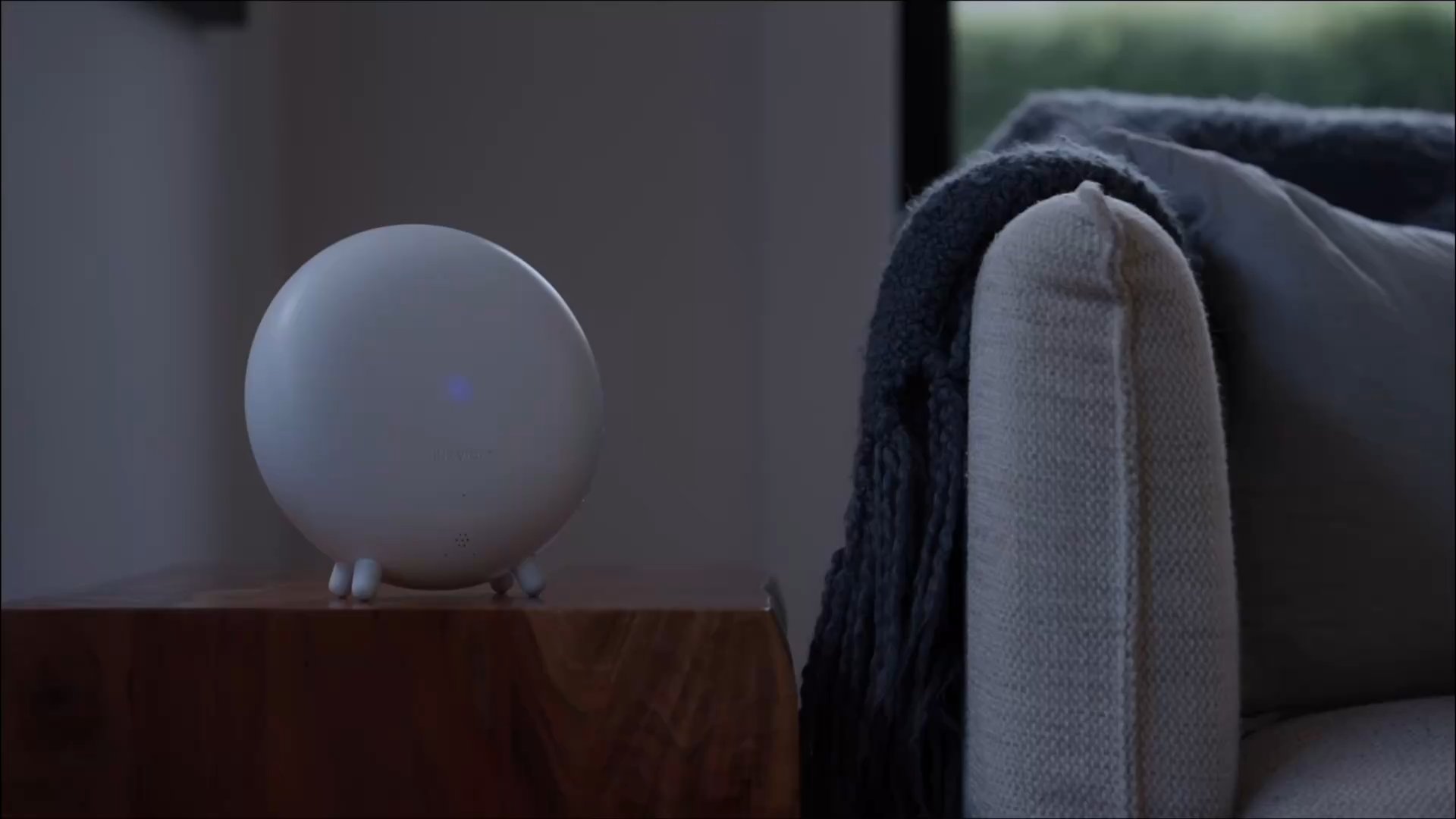
Trouble playing? Watch on YouTube.
The answer
The Hub gives the cameras you already own six senses. The Halos answer. Scroll, and meet every piece.
It sees and decides.
Six senses on every camera you already own, on the Hub in your home. It knows your family from a stranger, a parcel from a person.
6 trillion AI operations a second · 8 cores · up to 8 cameras
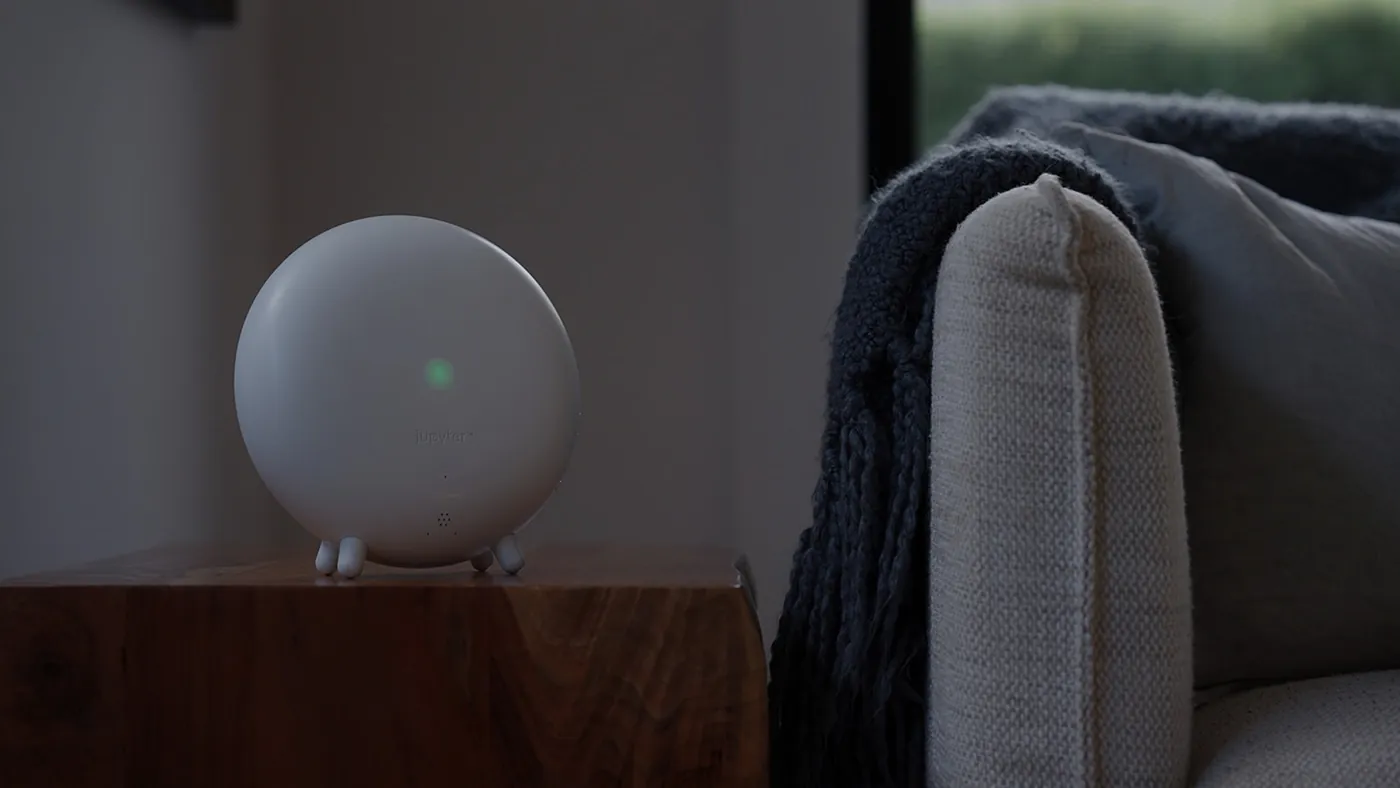
It speaks and listens, inside.
Answers when you ask, plays a lived-in home while you are away, and listens for breaking glass, a loud bang or a person in distress.
Two speakers and a subwoofer · two microphones · battery backed
It deters, outside.
A siren and strobe at the door, the moment the Hub decides it is warranted. Mounted where it can be seen. It never speaks.
Siren and strobe · IP65 · wired
Arms as you leave. Stands down as you arrive.
The Keyfob arms the house as you go and stands it down as you arrive. The Entry Door Sensor, available separately, tells the Hub the moment a door opens.
Bluetooth LE 5.0 · CR2032 · pair to the Halos
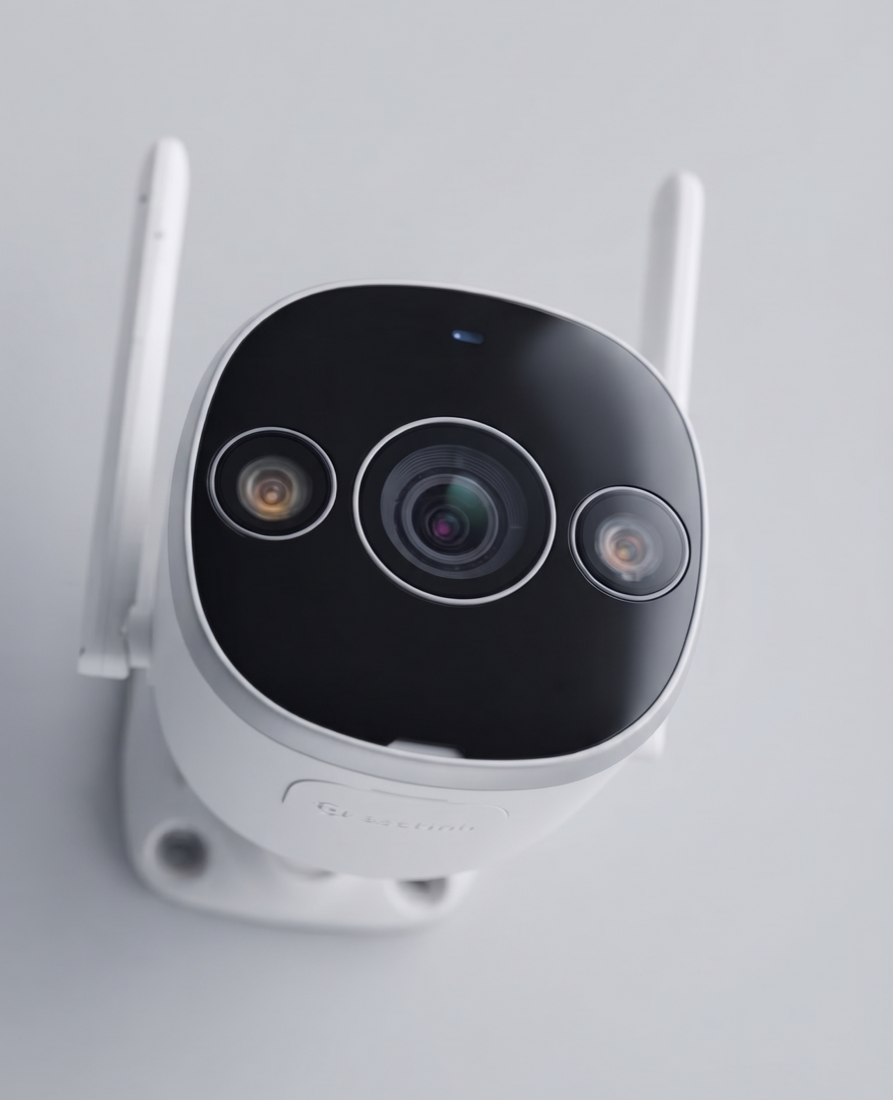
The corner you missed, in colour after dark.
For the corner no camera covers. It pairs with the Hub like any other camera and gets all six senses from the first minute.
5MP (3K) · infrared to 20 m · warm light to 10 m · IP67. Two with Outdoor, four with Orbital
The software
An app for your phone, one for your wrist, and Helios Essentials in any browser. All of it with every system.
What happened, in plain words.
Opens on the day, written in sentences. Ask VoiceAI instead of scrubbing footage. Every device and its health in one place.
iPhone and Android · Live Activity cards
Your house, on your wrist.
Arm and disarm, switch on lived-in sounds, and ask VoiceAI what happened, without reaching for your phone.
Apple Watch paired with an iPhone running SecureProtect
The web app, in any browser.
Your cameras, your day and your people, in any browser. Live view, faces and vehicles, and search by describing a moment.
With every system · any browser · search in plain words
How they work together
Always watching.
Always listening.
One Hub, two Halos, your phone and your watch. Here is what happens.
See
It spots a face it doesn’t know.
The Hub · FaceAI and LoiterAI
Lingering by your parcel, or around your home. Seen by the Hub, on the cameras you already own.
Hear
Or it hears someone trying to get in.
Indoor Halo · SoundAI
Breaking glass, a loud bang, a person in distress. Heard in the rooms no camera covers.
Deter
Then it answers. Loudly.
Outdoor Halo
A siren and strobe at the door, to send a parcel thief or an intruder running.
Inside
The house comes alive.
Indoor Halo · OccupancyAI
Footsteps, a dog, a television. An empty home never sounds empty.
Know
You know straight away.
SecureProtect app · Apple Watch
An instant alert on your phone. A nudge on your watch.
Read
It writes you the day.
SecureProtect app
A summary of everything it saw, so you never sit through dozens of events again.
Ask
Ask it what you remember.
Helios Essentials and the app · visual search
Describe the moment in words, and visual search jumps straight to the clip.
A small box that plugs into the cameras you already own, and gives them a brain.
They run inside your home, on every camera at once.
Your family from a stranger. A parcel from a person. Glass breaking from a door closing.
It answers straight away.
A house that sounds occupied, and a siren and strobe if they stay.
Six senses
Cameras see.
These understand.
Six engines, running on the Hub, on the cameras you already own. Each one exists because a camera on its own gets something wrong.Six engines on the Hub, on the cameras you already own.
FaceAI
It knows your family.
So it can notice a stranger.
It learns who belongs and goes quiet for them, so the only alerts are about people who don't. Faces are recognised on the Hub.Learns who belongs and goes quiet for them. Faces are recognised on the Hub.
VehicleAI
It reads the plate.
It remembers the car.
Number plate and vehicle recognition, on the Hub. Yours comes and goes without a word. An unfamiliar one lingering gets named. Garage open and close, with a supported Wi-Fi opener Limited betaPlates read on the Hub. Yours comes and goes without a word; a stranger's gets named. Limited beta
ParcelAI
A delivery is a promise.
It keeps it.
It sees the parcel land and guards it until you are home. If it leaves with the wrong person, the Halo sounds and you know straight away. An alert that says parcel, not motion.Sees the parcel land and guards it. If it leaves with the wrong person, the Halo sounds.
SoundAI
Cameras have blind spots.
Sound does not.
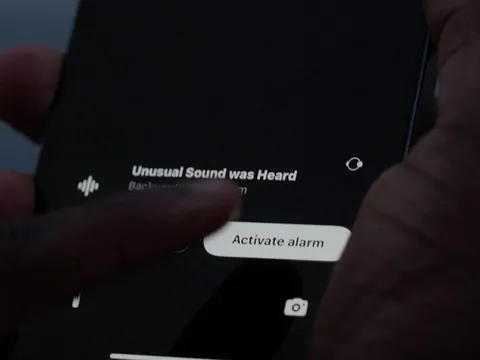
Breaking glass. A loud bang. A person in distress. Heard in the rooms with no camera, through your cameras' microphones and the Indoor Halo. Trained on the signatures of forced entry, not on loud noises.Breaking glass, a loud bang, a person in distress. Heard in rooms with no camera.
LoiterAI
Break-ins are planned.
It catches the planning.
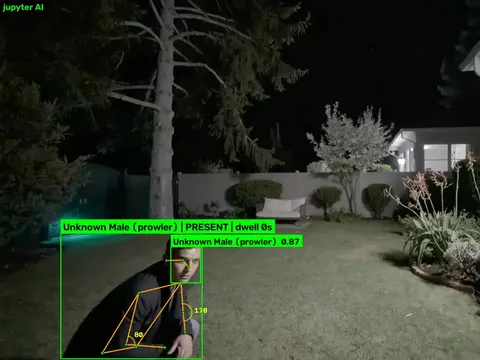
The person who waits at the fence tonight is the one who comes back tomorrow. Motion detection sees everything that moves. This sees the one that waits, and answers before the plan becomes a break-in.Motion sees everything that moves. This sees the one that waits, and answers first.
OccupancyAI
An empty house is an invitation.
Yours declines.
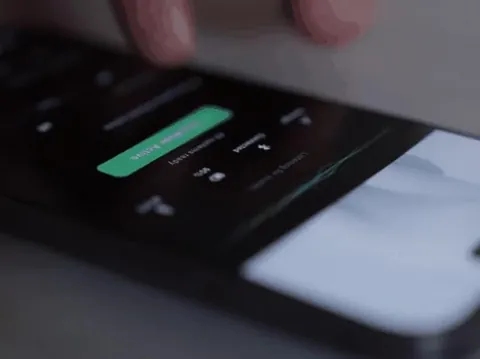
Footsteps. A dog. A television through a wall, on a rhythm that never repeats. Burglars listen before they look, and they hear a house with people in it.Footsteps, a dog, a television through a wall, on a rhythm that never repeats.
Six senses
All six run on the Hub in your home, on any camera that speaks RTSP, up to eight of them.
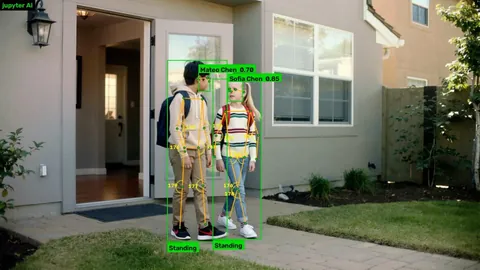
FaceAI
Knows who lives here.
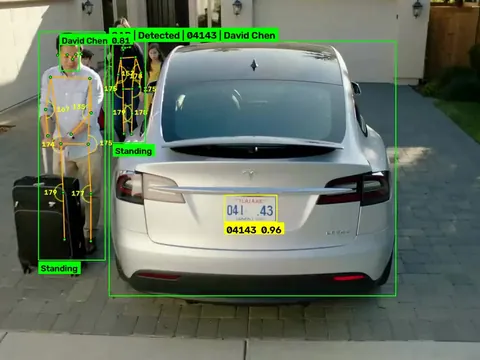
VehicleAI
Your car, or a stranger’s.
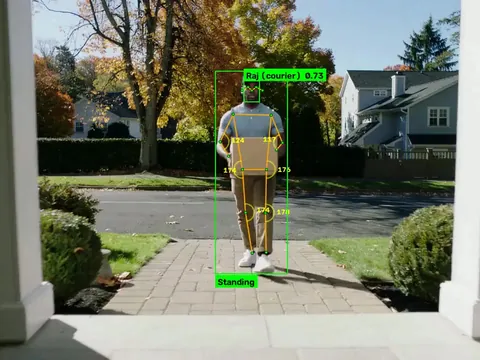
ParcelAI
Guards the parcel until you are home.
SoundAI
Breaking glass, a bang, distress.
LoiterAI
Passing by, or watching.
OccupancyAI
An empty home that isn’t quiet.
See it work
The same camera, twice. Watch the line sweep across to reveal what jupyter understands. Drag it to compare at your own pace.
Every label here was drawn by the same six senses that run on a customer's Hub, on the same models and the same thresholds. Nothing was added or tidied up afterwards.
Your cameras
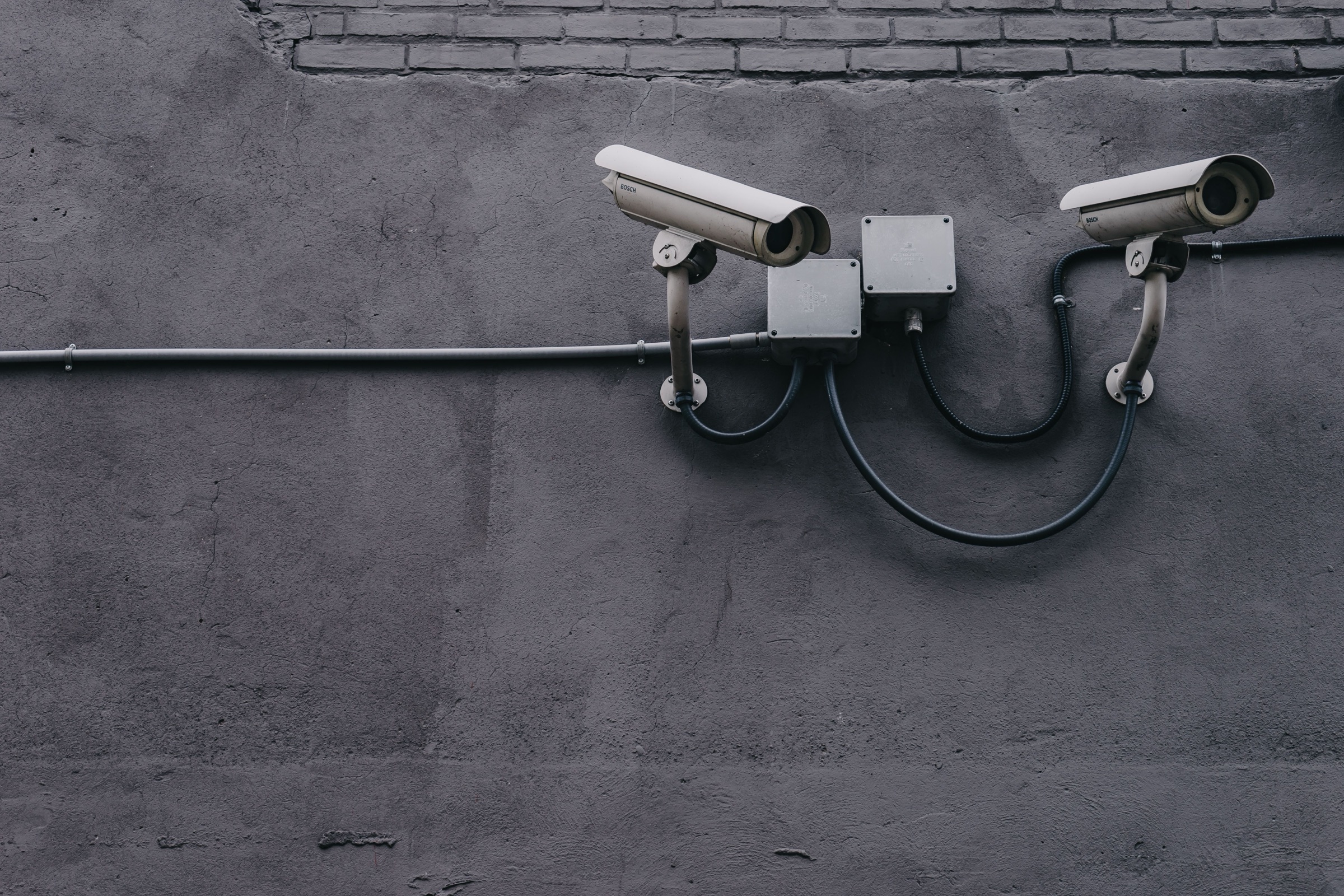
If it speaks RTSP, jupyter works with it. Camera, doorbell or NVR. Wired, PoE or Wi-Fi. Any brand. Nothing replaced, nothing rewired, nothing has to match.
Compatibility
Type the brand. If it gives the Hub an RTSP stream, it works, whatever it is.
Tell us what you have and we'll test it and write back. Most cameras work. The list is just shorter than the world.
Sent. We'll email you once we've tested it.
Every camera, doorbell and NVR that gives the Hub an RTSP stream works, whatever the brand. The only ones that can't are cloud-only devices that never expose a stream at all, such as Ring, Nest and Arlo. Not on the list? Send it and we'll test it.
Specifications
In every system
With Outdoor and Orbital
With Orbital
Two with Outdoor, four with Orbital
One with Outdoor and Orbital
Available separately
Every product carries a 12-month warranty, in addition to your rights under the Australian Consumer Law. Keyfob and sensor range varies with your home and its building materials.
VIP Early Access · limited to 100 spots
Choose your preferred jupyter system and reserve a VIP spot with a US$25 refundable deposit.
For homes that already have cameras.
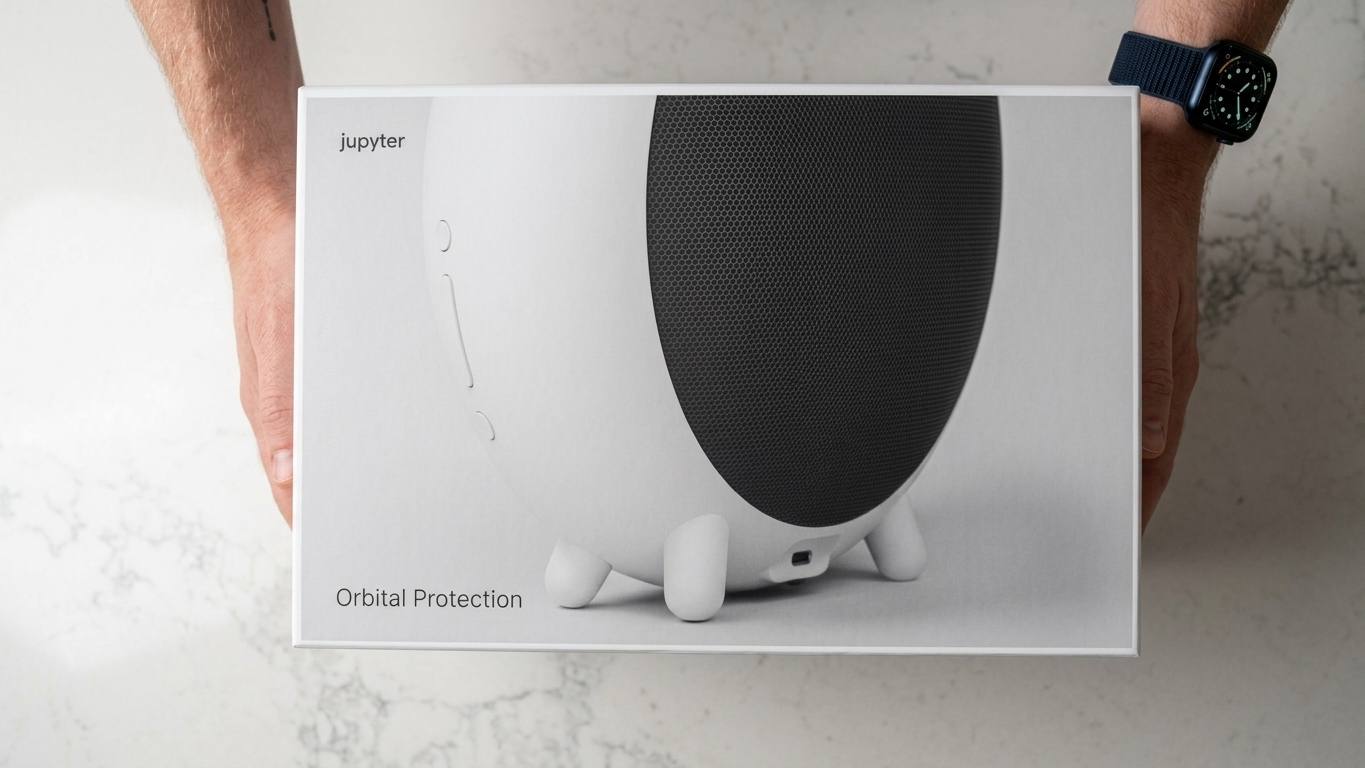
The perimeter, recognised and answered.
Inside and out. The complete system.
Prices are in US dollars. Your deposit is charged in US dollars.
Your VIP Early Access price is held for you until you complete your order.
VIP spots are first in line to ship.
The VIP Early Access price on every system, kept for the 100 VIP spots only.
Change your mind at any time before launch.
Three interest-free monthly payments when you complete your order on Kickstarter.
Be there when it opens
Fully refundable until your order ships. Launching on Kickstarter, October 2026.
SoundAI
Trained on the sounds of forced entry, not on loud noises. While the house is armed, it listens through your cameras' microphones and the Indoor Halo, and covers the rooms no lens does.
Everyday sounds such as speech, music, television and traffic are recognised as ordinary and don't raise an alert.
OccupancyAI
Burglars listen before they look. The Indoor Halo plays the sounds of a lived-in home, when the cameras see someone at the gate or on a schedule you set.
Home sounds active
Footsteps, a television through a wall, a door closing. Nothing repeats, so nothing sounds recorded.
VoiceAI Beta
Every event at home, summarised in plain English when you ask. People, parcels, sounds, vehicles.
VoiceAI is in beta at launch. The six core senses and your storage run on the Hub in your home.
The difference
Five years, your cameras
jupyter works with the cameras you already own, for a one-time price. The camera brands charge every year for storage and AI, on top of their own cameras.
Up to US$1,500 less than Ring or Google Nest over five years, with 8 cameras.
Keep the 8 cameras you own. Storage and six senses on the Hub, with the SecureProtect app and Helios Essentials.
8 Ring Outdoor Cams and Ring Protect Pro, the plan with AI video search. Your video lives in Ring’s cloud.
8 Nest Cams and Home Premium Advanced, the plan with AI search. Your video lives in Google’s cloud.
Monitored services, for reference
8 outdoor cameras and Pro monitoring, with agents watching up to three of them overnight. Base station extra.
The Complete plan, the one that monitors cameras, on a 36-month contract, with equipment from US$349.
US list prices, checked September 2026. Plan fees are per home, the same for one camera or eight; their cameras cost extra. jupyter at its US$1,099 VIP Early Access price.
Who it's for
An NVR, a few cameras, a doorbell. Keep all of them. Give them six senses and a home that acts on what they see.
Plug in the Hub. Nothing else changes.
The house keeps its rhythm while you are gone: voices, a dog, the vacuum. From the street, someone is home.
Occupancy sounds, on a schedule you set.
Between guests the house sits idle, sometimes hours away. jupyter watches the empty nights and tells you who arrived and when.
About the idle home, not your guests.
Know who is at the door before you open it, hear the side window even while you sleep, and let the house make some noise on your behalf.
No codes to remember.
Loitering at the back door after close, an unknown vehicle at 3am, glass at the front: named, and answered.
Uses the cameras already on the ceiling.
ParcelAI sees the delivery arrive and notices if it leaves with the wrong person.
An alert that says parcel, not motion.
400 events
your cameras recorded last night.
Somebody has to look through them this morning.
Nobody ever does.
That is what a recorder really costs you. Not the disk. The hours no one has.
jupyter watched them for you.
By the time you unlock the door, last night is three sentences, and you have read them before the coffee lands.
Ask it what you half remember.
“A man in a hoodie, running.” It finds the ten seconds. Nobody tagged anything first.
The face that came back at 1am?
Two taps to blacklist him. The next time he is seen, the alarm meets him instead of a recording.
Keep your cameras. Keep your recorder.
Give them a brain.
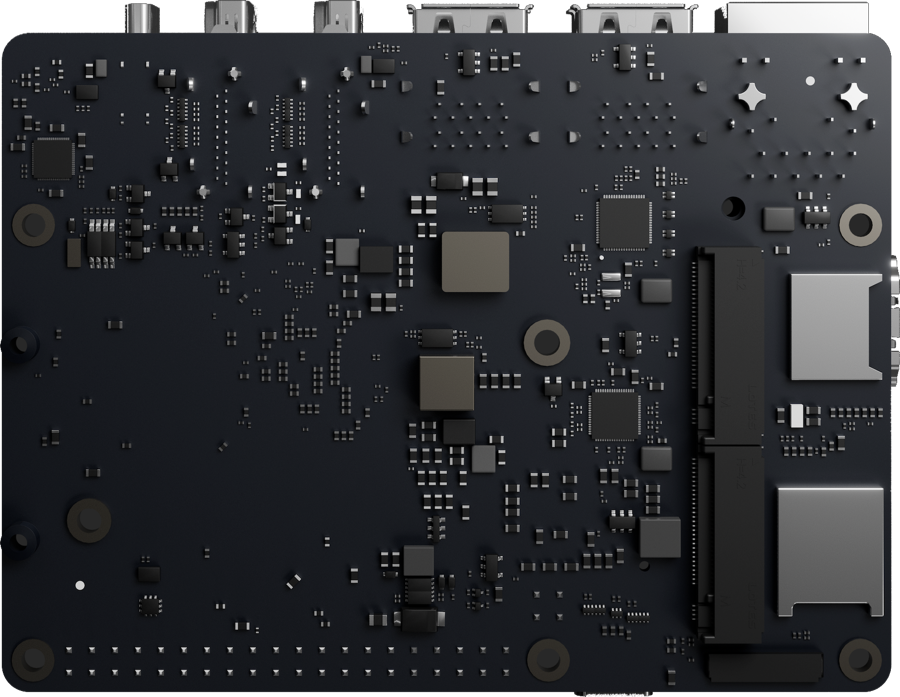
Inside the Hub
For business
A shop, a warehouse, a clinic, a site office. The cameras are up and the NVR is running. jupyter reads the same RTSP streams and adds the part that was missing, in a dashboard that opens in any browser on your own network.
Rules read like a sentence: when an unknown person loiters at the back door after close, sound the siren and call me. Deterrence, recognition and search all run on the Hub on your premises. One Hub covers up to eight cameras with all six senses running; larger or multi-site jobs, write to info@jupyter.com.au and we will size it with you.
The Hub
Arm at 11pm, disarm at 7am. Each mode carries its own rules for what the house watches, what it tells you, and what it may do without asking.
Recordings sit on solid state storage with no moving parts to wear out. Built to run every hour of the year.
The intelligence runs on the Hub itself. No cloud does the thinking, so no cloud needs paying.
Inside the Hub
Six senses reading eight cameras at once is a serious computing problem. Most systems solve it by sending your footage to someone else's building. jupyter solves it by putting the computer in your home.
All of it runs in your home, on about the power of a phone charger. No cloud does the thinking, which is why there is nothing to pay monthly for it.
Outdoor Halo
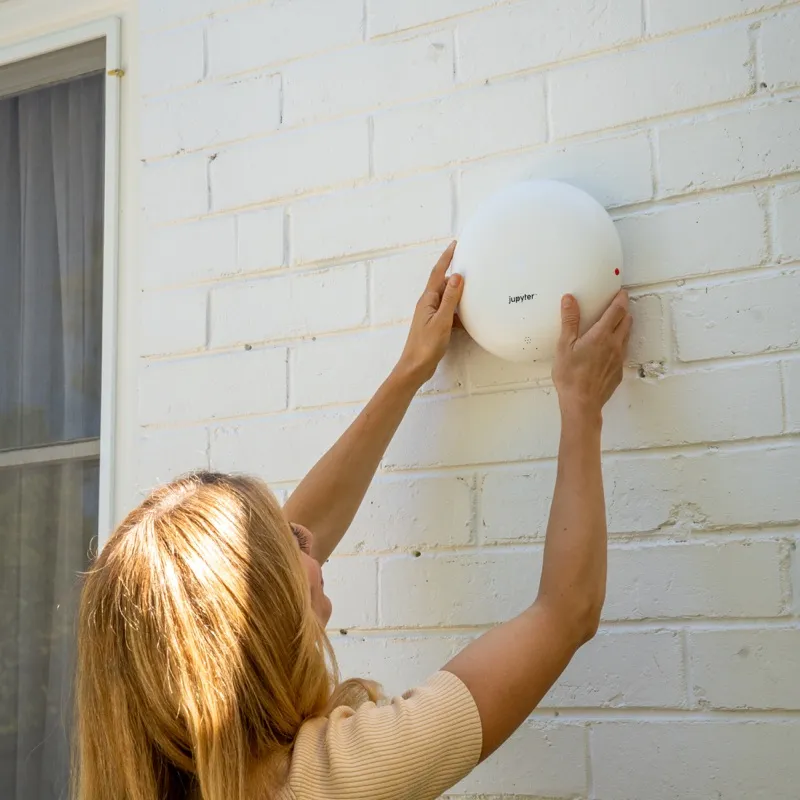
Mounted where people can see it. A visible Halo tells anyone at the door that this home is paying attention, before anything is touched.
They sound only when the Hub decides the situation warrants it. Not every time a cat crosses the lawn.
Made for the weather at your front door, and designed to look like it belongs on your home.
Indoor Halo
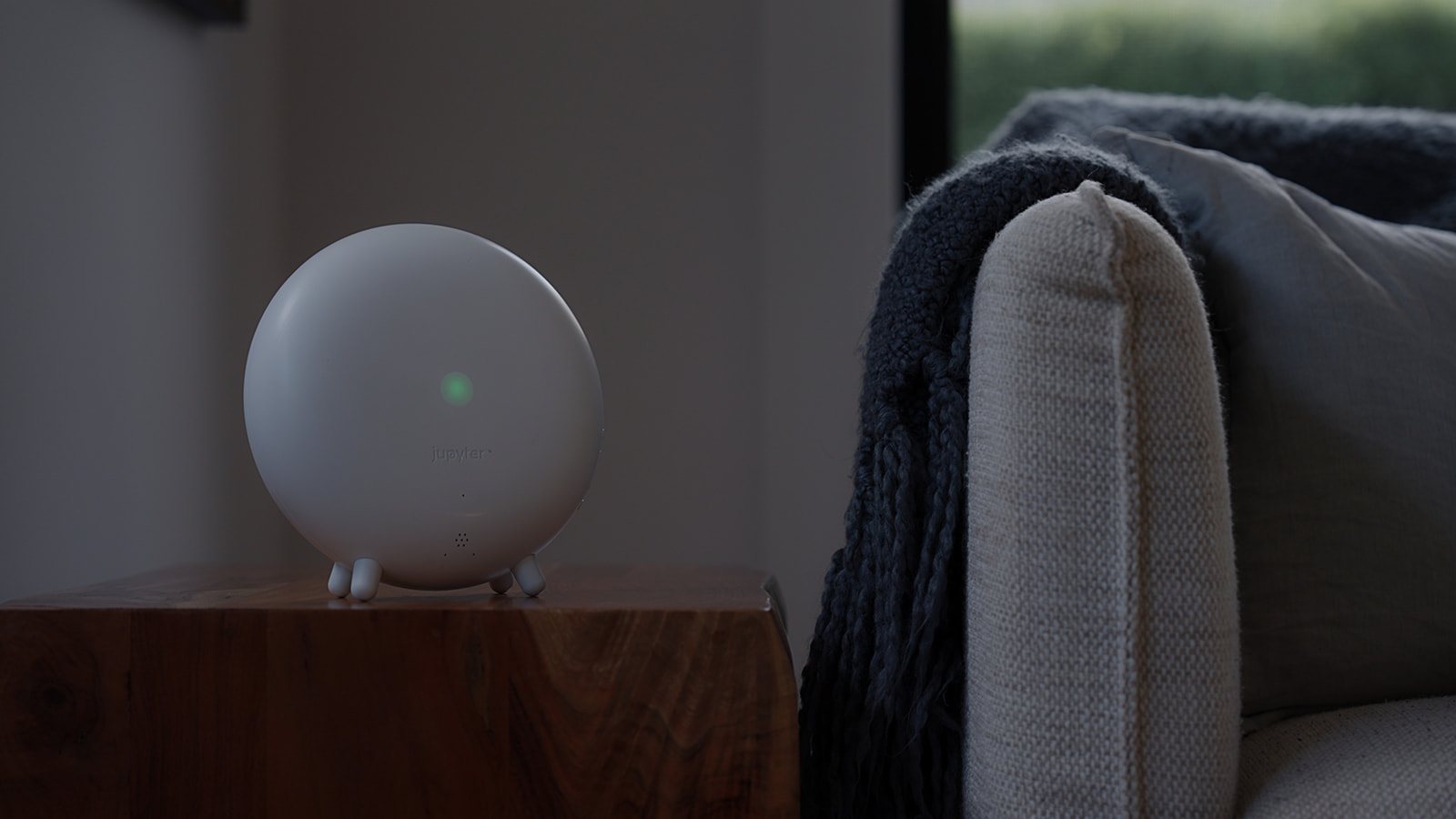
Voices, a dog, a vacuum moving room to room. OccupancyAI plays through the Indoor Halo, on a rhythm that doesn't repeat.
While the house is armed, it listens for breaking glass, a loud bang or a person in distress, in the rooms no lens covers.
Ask what happened with VoiceAI. It carries a siren of its own, and it is the Bluetooth bridge for the Keyfob and Entry Door Sensor.
Specifications
Keyfob range varies with your home and its building materials. Warranty terms are in addition to your rights under the Australian Consumer Law.
The hardware
Five small things that each carry more than one job, and none of them ask for attention. Each one, in full, below.
01jupyter Camera
Most cameras give you a grey shape at night. This one carries two kinds of light, and switches between them when something happens, so a face at 2am still looks like a face.
Recordings stay on the Hub in your home. There is no monthly fee for storage or for the six senses. Two jupyter Cameras are included with Outdoor Protection and four with Orbital Protection.
02Keyfob
Walk out, and the house arms itself behind you. No code to remember, no countdown to beat, no app to open with your hands full. Presence is the password.
Hands-free arrive and leave are on from the first day, and every timing is yours to set. A Keyfob is included with Outdoor Protection and Orbital Protection. Add one for everyone who lives there. The Keyfob, in full
03Entry Door Sensor
A camera watches the space in front of a door. This watches the door itself, and it knows the difference between opening and being taken off the frame.
The Entry Door Sensor is available separately. Add one for each door you want jupyter to feel.
04SecureProtect app
It opens on what actually happened, written in plain words, with every device and its state beneath. When you want more, you ask out loud instead of scrubbing footage.
For iPhone and Android, included with every system. No subscription for storage or for the six senses.
05Apple Watch
Three screens and nothing else, because a watch is not a small phone. Enough to know, to ask, and to act, without taking anything out of your pocket.
A wrist tap when something matters, with a different pattern for the events worth standing up for, and silence when your phone has already told you. Included with the app.
Privacy
Every frame is analysed on the Hub. When you watch remotely, the stream travels encrypted between your Hub and your phone. jupyter doesn't keep a copy of your video.
Recognition and recording happen on the Hub. There is no cloud copy of your video for us to keep.
Your phone connects to your Hub, encrypted end to end. Where a direct connection isn't possible, an encrypted relay passes the stream through without storing it.
Storage is on the Hub. That is why there is no monthly bill for it.
Storage and all six senses run on the Hub and keep working, with no monthly fee.
Company
Built to be here in ten years.
Years of design, redesign and pilot use in real homes before the first production unit ships.
Founded by Temi Akinloye, after a career in cloud and data architecture, AI product engineering and product design. Matt Gaskell spent years putting Google Nest into homes across Australia and New Zealand, so he knows exactly where these products let people down, and he holds this one to it.
When something is not right, it is ours to put right. That is the only arrangement worth having.
Made by a small team who put it in their own homes first. Every reservation tells us to build the next one.
A small home security hub that plugs into the IP cameras you already own and gives them six AI senses: FaceAI, VehicleAI, ParcelAI, SoundAI, LoiterAI and OccupancyAI. All six run on the Hub inside your home. When it senses a threat it answers through the Outdoor and Indoor Halo, and every recording stays on the Hub. Designed in Melbourne, Australia.
If it speaks RTSP, yes. Any brand, any camera, doorbell or NVR, wired, PoE or Wi-Fi. Cloud-only cameras that never expose a local stream, such as Ring and Google Nest, aren't supported. Search your brand above and we'll tell you.
Not for the system itself. Storage and all six AI senses are a one-time purchase.
On the Hub, inside your home. Recognition and recording both run locally.
The house keeps protecting itself. Recording, the six senses and the deterrent all run on the Hub over your local network. You lose remote viewing and notifications until the connection returns.
No. jupyter is built to end the event before it becomes one, and to give you the evidence if it doesn't. It is not a monitored alarm service.
The Outdoor Halo has a siren and a strobe, so anyone nearby notices. It is not a floodlight and won't light your yard.
Yes. Plug the Hub into your router and follow the app to add your cameras. No rewiring, no drilling.
Up to 8 cameras per Hub, with all six senses running locally. Larger homes can add a second Hub.
A US$25 refundable deposit holds your place in the first production run and your VIP Early Access price. We'll email you delivery timing as production progresses. Charges and cancellation follow our Terms.
Unused products in their original packaging can be returned within 30 days of delivery for a refund, and every jupyter product has a 12-month warranty. Nothing limits your rights under the Australian Consumer Law.
VIP Early Access · limited to 100 spots
Choose your preferred jupyter system and reserve a VIP spot with a US$25 refundable deposit. No subscription for storage or the six senses.
Your VIP Early Access price is held for you until you complete your order.
VIP spots are first in line to ship.
The VIP Early Access price on every system, kept for the 100 VIP spots only.
Change your mind at any time before launch.
Three interest-free monthly payments when you complete your order on Kickstarter.
Launching on Kickstarter in October 2026. Notify me on Kickstarter
Privacy
Every frame is analysed on the Hub. When you watch remotely, the stream travels encrypted between your Hub and your phone. jupyter doesn't keep a copy of your video.
Recognition and recording happen on the Hub. There is no cloud copy of your video for us to keep.
Your phone connects to your Hub, encrypted end to end. Where a direct connection isn't possible, an encrypted relay passes the stream through without storing it.
Storage is on the Hub. That is why there is no monthly bill for it.
Storage and all six senses run on the Hub and keep working, with no monthly fee.
Specifications
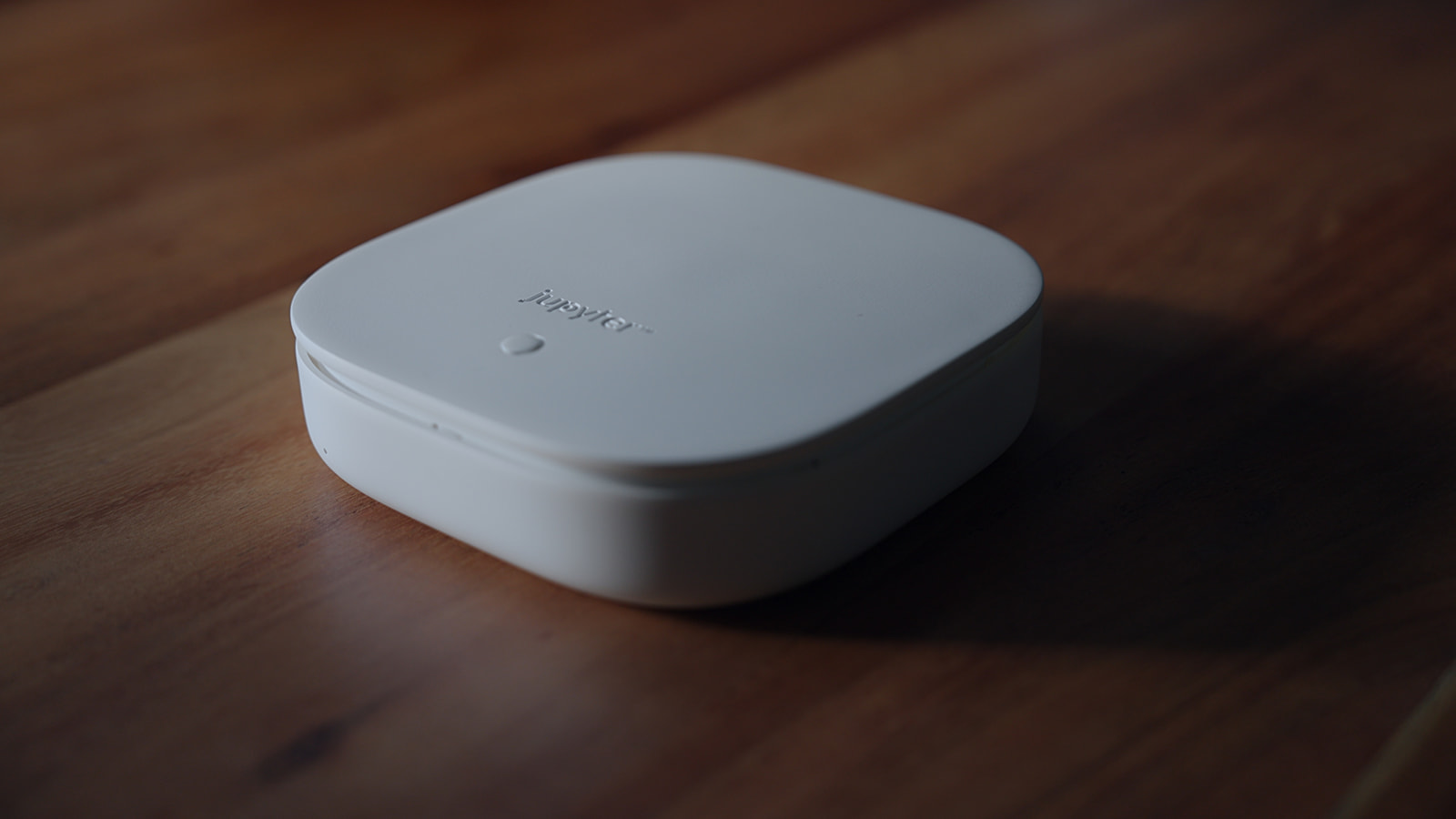
The Hub is the brain. It connects to the cameras you already own and runs all six senses on them at once, in your home. Recordings and the faces it learns stay on the Hub. It decides what deserves an answer, and tells the Halos.
Specifications
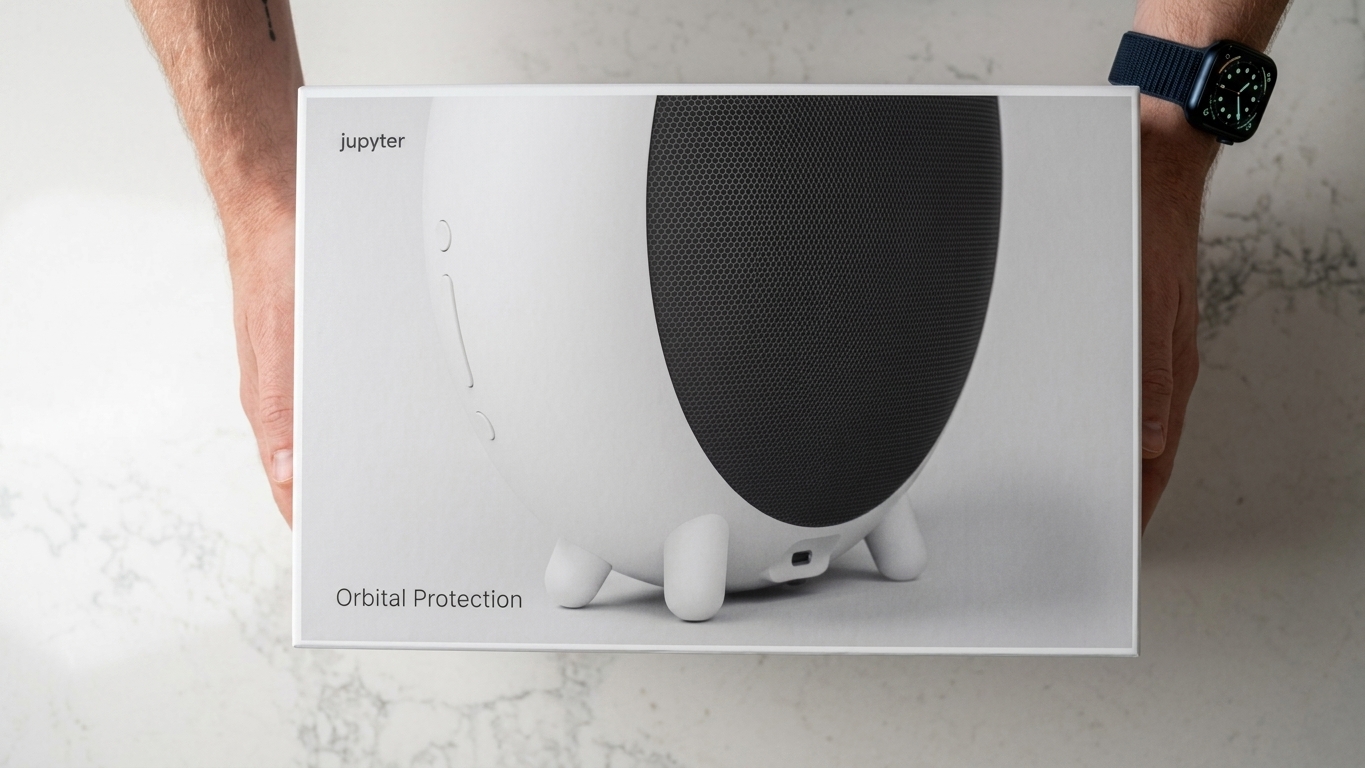
The Indoor Halo is the voice of the system. It answers when you ask what happened, plays the sounds of a lived-in home while you are away, and listens for breaking glass, a loud bang or a person in distress in the rooms no camera covers. It has a siren of its own.
Specifications
The Outdoor Halo is the deterrent. When the Hub decides a moment calls for it, the Halo answers with a siren and strobe, while it is still happening. It never speaks. It reports its temperature and health back to the Hub.
Specifications
The Keyfob arms the house as the last person leaves and stands it down as they come home. The Entry Door Sensor, available separately, tells the Hub the moment a door opens. Both pair with the Halo nearest the door.
Specifications
The jupyter Camera covers the corner nobody covered. It pairs with the Hub like any other camera and gets all six senses from the first minute.
Specifications
SecureProtect is the app on your phone. It opens on what happened, written in plain words, with every device and its state beneath. Ask VoiceAI instead of scrubbing footage.
Specifications
The jupyter app for Apple Watch puts the house on your wrist: the day in a sentence, a question answered, and every Halo a touch away.
Specifications
Helios Essentials is the web app that comes with every system. It brings the same understanding to any browser.
Support
Tell us what you need and we'll write back. For camera compatibility, the checker on this page is faster.
Sent. We'll be in touch.
Or email info@jupyter.com.au.
Support
How delivery works for reservations and orders, from the first production run onward.
i.
Reservation holders are first in line, in the order they reserved. We'll email you as production progresses, confirm your delivery timing before we ship, and tell you straight away if anything changes.
You won't be asked to pay your balance until your system is ready to ship.
ii.
We deliver across Australia. Other destinations are available where checkout offers them, and some may open later than others because of local certification.
iii.
Shipping is calculated at checkout from your delivery address. You'll always see the exact cost before you pay anything.
iv.
Every order ships by tracked courier, packed to arrive in the condition it left us.
v.
We'll email your tracking link as soon as your order is on its way.
vi.
You can update your address any time before your order ships from Manage my order. Please keep it current so nothing goes astray.
vii.
Any taxes that apply to your order are shown at checkout before you pay. Orders shipped outside Australia may attract import duties or local taxes, payable by the recipient unless checkout says otherwise.
viii.
Email us as soon as you can with your order number and a few photos of the box and the product. We'll arrange a replacement at no cost to you.
ix.
Support
Refunds, returns and warranty, in plain English. Nothing here limits your rights under the Australian Consumer Law.
i.
Your reservation deposit is fully refundable until your order ships. Cancel from Manage my order or email us with your order number, and we'll refund it to your original payment method.
ii.
If you change your mind after delivery, you can return unused products in their original, unopened packaging within 30 days of delivery for a full refund of the product price. Return shipping is at your cost.
Products that have been installed, damaged through misuse, or returned without their original packaging and accessories may not be eligible for a change-of-mind return. This never affects your rights if a product is faulty.
iii.
If a product is faulty, doesn't match its description or isn't of acceptable quality, you're entitled to a remedy under the Australian Consumer Law. For a major failure you can choose a replacement or a refund. For other failures we'll repair or replace it within a reasonable time. We cover return shipping for products we confirm are faulty.
iv.
Every jupyter product, including the Hub, Indoor Halo, Outdoor Halo, cameras, keyfobs and door sensors, comes with a 12-month warranty from the date of delivery. It covers defects in materials and workmanship under normal use.
To make a claim, email us with your order number and a short description of the issue. We'll assess it and repair, replace or refund the product. Our warranty is in addition to your rights under the Australian Consumer Law.
v.
Email info@jupyter.com.au with your order number and the reason for the return. We'll reply with a return authorisation and shipping instructions. Please don't send anything back before you hear from us, so we can match it to your order.
vi.
Refunds go back to your original payment method once we've received and checked the return.
vii.
Our products come with guarantees that cannot be excluded under the Australian Consumer Law. You are entitled to a replacement or refund for a major failure and compensation for any other reasonably foreseeable loss or damage. You are also entitled to have the goods repaired or replaced if they fail to be of acceptable quality and the failure does not amount to a major failure.
viii.
Company
We built jupyter because the industry chose subscriptions over substance. Cameras kept getting sharper while the intelligence behind them stayed locked behind monthly fees.
Read more at jupyter.com.au/jupyter-story.
Company
A small team in Melbourne, building home security hardware and the software that runs on it.
i.
We hire across firmware, AI, product and customer experience as the company grows. We look for people who care about craft and about the homes our product protects.
ii.
There may not be an open role that fits today. If you'd like to be considered, email careers@jupyter.com.au with a short note about what you'd bring and a link to your work.
Legal
How we handle your personal information, in plain English. We follow the Australian Privacy Principles in the Privacy Act 1988, and your rights under that law apply in full.
i.
jupyter Pty Ltd, Melbourne, Australia. We design and sell the jupyter home security system. When this notice says "we", it means us.
ii.
The details you give us: your name, email, phone number, delivery address, the system and accessories you choose, messages you send us, and the camera brand and model you check with us.
Payment details are entered into Shopify's checkout and handled by Shopify and its payment partners. We never see or store your full card number.
Standard technical information when you visit this site, such as your browser, device type and approximate region.
iii.
To take and manage your reservation and order, deliver it, send sign-in codes for Manage my order, answer your questions, provide support, send the updates you've asked for, prevent fraud, meet our legal obligations, and improve our site and products.
iv.
Video, audio and face recognition data are processed and stored on your Hub, inside your home. We don't receive, store or have access to your recordings.
When you watch your cameras away from home, video travels from your Hub to your phone over an encrypted connection. It may pass through a relay to reach you, but it isn't recorded or kept along the way.
v.
To keep your system healthy and up to date, your Hub may share technical information with us, such as whether it's online, its software version and error reports. This doesn't include your footage.
vi.
VoiceAI is optional and in beta. If you use it, the information needed to answer your question may be processed by an AI service outside your home. You can choose not to use it, and every other sense works without it.
vii.
Only the service providers that help us run jupyter, and only what each one needs: Shopify for orders and payments, Amazon Web Services for our email and account systems, Netlify for hosting this site, an SMS provider for sign-in codes, and delivery carriers. They may only use your information to provide their service to us.
We may also disclose information where the law requires it. We never sell your personal information.
viii.
Our own account and email systems run in Australia. Some providers, including Shopify and our website host, may store or process information overseas, including in the United States and Canada. We choose providers that protect it to a standard comparable to Australian law.
ix.
Information is encrypted in transit, access is limited to the people who need it, and sign-in to your order uses one-time codes. If a data breach is likely to cause serious harm, we'll notify you and the Office of the Australian Information Commissioner as the law requires.
x.
Only as long as we need it for the reasons above. Order and payment records are kept for as long as tax and consumer law require.
xi.
Essential cookies and similar storage keep this site and your cart working. Analytics and advertising cookies help us understand how the site is used and measure our advertising. If you are in the United Kingdom or the European Union, they run only if you choose Accept. Elsewhere they run unless you choose Essential only, which you can do at any time from the banner or by clearing this site's data in your browser. We also honour a Global Privacy Control signal sent by your browser.
Our films play from YouTube. YouTube only loads, and may set its own cookies, when you press play.
xii.
We'll email you about your reservation and order. Updates and news are optional, and every one includes an unsubscribe link.
xiii.
You can ask to see, correct or delete the information we hold about you, and we'll respond within a reasonable time. Email info@jupyter.com.au.
If you're unhappy with how we've handled your information, tell us first and we'll work to fix it. You can also contact the Office of the Australian Information Commissioner at oaic.gov.au.
xiv.
We may update this notice as jupyter grows. If a change is significant, we'll let you know by email.
Legal
The terms for using this site, reserving a jupyter system and buying from us. Nothing in them limits your rights under the Australian Consumer Law.
i.
This site is run by jupyter Pty Ltd, Melbourne, Australia. By reserving or ordering, you agree to these terms.
ii.
Information here is general and may change as the product develops. Images include photographs and digital renders, and the final product may differ slightly in finish or appearance. If anything material changes before you pay your balance, we'll tell you first.
iii.
A reservation holds your place in line and your VIP Early Access price for the system you choose. It is not a completed purchase. Your deposit is deducted from the price of your system and is fully refundable until your order ships.
VIP Early Access is limited to the first 100 reservations. It reduces the price of jupyter Hub, Outdoor Protection and Orbital Protection, and the jupyter Cameras listed with Outdoor Protection and Orbital Protection are included at no extra cost. We may close it earlier, or change what it includes, for reservations not yet made.
You can change your system, update your details or cancel at any time from Manage my order.
iv.
You can complete your order in either of two ways: through our Kickstarter campaign, where Kickstarter's own payment terms and instalment options apply, or directly with us, where we'll email you a secure link when your system is ready. Your deposit counts towards your system either way, and nothing more is charged until you choose to complete it.
If you don't complete your order within the time given in that email, we may release your reservation and refund your deposit in full. If you complete an order in both places by mistake, tell us and we'll refund the duplicate.
v.
Prices are in US dollars, and your deposit is charged in US dollars. Your VIP Early Access price is the one shown when you reserved. Shipping and any taxes are shown at checkout before you pay. If a price is shown in obvious error, we'll contact you and you can choose to continue at the correct price or receive a full refund.
vi.
We may cancel a reservation or order if we suspect fraud, can't deliver to your address, stop making a product before it ships, or are prevented by events outside our control. If we do, we'll refund everything you've paid for it.
vii.
We don't promise a fixed delivery date. We'll keep you updated as production progresses and confirm timing before we ship. See Shipping for details.
viii.
Every jupyter product comes with a 12-month warranty from the date of delivery, covering defects in materials and workmanship under normal use. Change-of-mind returns, faulty products and refunds are covered in Returns.
ix.
Our products come with guarantees that cannot be excluded under the Australian Consumer Law. You are entitled to a replacement or refund for a major failure and compensation for any other reasonably foreseeable loss or damage. You are also entitled to have the goods repaired or replaced if they fail to be of acceptable quality and the failure does not amount to a major failure.
x.
jupyter is a home security system that helps you know what's happening at home and deters intruders. It is not a monitored alarm, an emergency service or a substitute for insurance, and no system can guarantee to prevent a break-in, theft or harm. In an emergency, call 000.
xi.
AI can make mistakes. jupyter uses AI to recognise faces, people, vehicles, parcels, sounds and behaviour. No AI is perfect. Lighting, camera angle, weather, obstructions and network conditions can affect results, and events may occasionally be missed, delayed or misidentified. FaceAI is for awareness and should not be used on its own to unlock doors or grant access.
xii.
The Hub works with jupyter cameras and with any camera, doorbell or NVR that supports RTSP streaming, up to 8 cameras per Hub. Compatibility can depend on the model and its firmware, so please use the camera checker on this site or ask us before you order. Cloud-only devices that never expose an RTSP stream aren't supported.
xiii.
The software, firmware and AI models in jupyter products belong to jupyter Pty Ltd. Buying a product gives you a personal licence to use them with that product. Please don't copy, modify or reverse engineer them.
We deliver updates automatically to fix issues, improve performance and add features. Storage and the six AI senses run on the Hub, with no monthly fee. VoiceAI is in beta.
xiv.
To the extent the law allows, and subject to the Australian Consumer Law, we aren't liable for indirect or consequential loss, and our liability for a product is limited to the amount you paid for it.
xv.
How we handle your personal information is explained in our Privacy notice.
xvi.
We may update these terms from time to time. Significant changes will be emailed to reservation holders and customers, and never reduce what you've already paid for.
xvii.
If something isn't right, please contact us first and we'll work with you in good faith to resolve it. These terms are governed by the laws of Victoria, Australia. Nothing here limits your right to take action under the Australian Consumer Law or to contact a consumer protection agency.
xviii.
Legal
Home security should work for everyone. We want this site and our products to be easy to use, whatever your abilities.
i.
We aim to meet the Web Content Accessibility Guidelines (WCAG) 2.1 at Level AA, and we treat any gap as something to fix.
ii.
We build every control to work with a keyboard alone, with a clear focus outline. Pages use a logical heading structure and labelled controls for screen readers. Images have text alternatives. Text scales with your browser's zoom, and we design for readable colour contrast without relying on colour alone.
iii.
This site uses scroll animations and video to show the product. If you've turned on reduced motion on your device, we keep movement to a minimum. The main video has a pause button, and our films only play when you choose to play them.
To reduce motion: on iPhone and iPad, Settings › Accessibility › Motion › Reduce Motion. On Mac, System Settings › Accessibility › Display › Reduce motion. On Windows, Settings › Accessibility › Visual effects › Animation effects. On Android, Settings › Accessibility › Remove animations.
iv.
We're designing the app to work with VoiceOver and TalkBack and to respect larger text sizes. If something in the app is hard to use, we want to know.
v.
Our product videos don't yet have audio descriptions, and the camera checker and system selector haven't been independently audited. If you'd like a written walkthrough of any video, or help with anything on this page, email us and we'll send it.
vi.
If anything is hard to use, email info@jupyter.com.au. We read every message and will work with you to get you what you need.